Every pill on time.
Every reading in one place.
PillBook reminds you and your family to take each medicine, and keeps a blood pressure, blood sugar and weight log on your phone. No account, no cloud, no ads.
One-time purchase · Phone, tablet & Wear OS · Works offline
Mum's pills at 8.
Dad's at 9.
Your BP at night.
How it works
Set it up once.
Tap Taken. That's it.
Three steps from an empty phone to reminders the whole family can follow.
- 01Add the people you care forYou, Mum, Dad: up to 8 people, each with a name and a color, so every reminder shows whose pill it is.
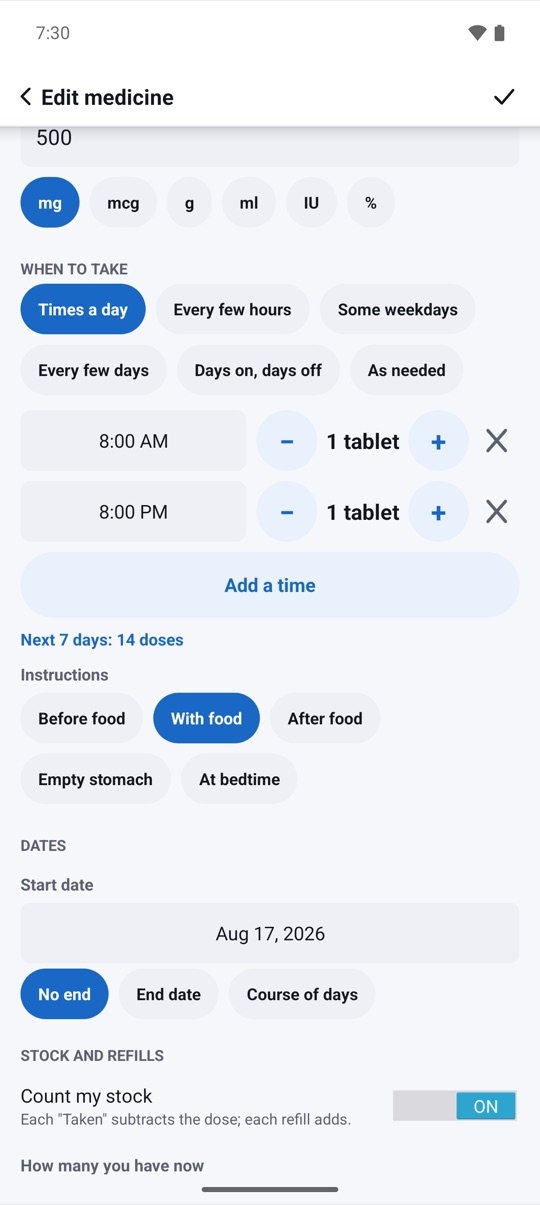
- 02Add medicines and timesName, strength and dose, then the schedule: times a day, every few hours, some weekdays, cycles or only when needed.
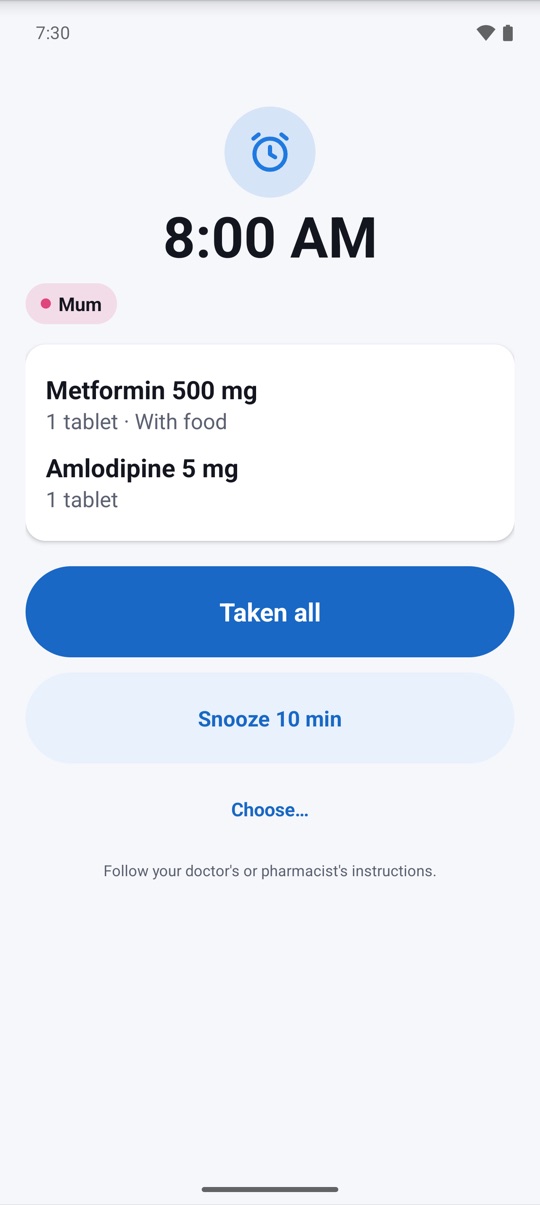
- 03Tap Taken when the alarm ringsThe alarm keeps ringing until someone answers. Tap Taken, Snooze or Skip, and PillBook keeps the history.
Reminders and reliability
An alarm for every dose,
and a check that it rings.
Each dose gets its own on-time alarm with sound and vibration. If nobody answers, it rings again, then sends a follow-up. The Reliability screen checks your phone's battery and alarm settings and lets you send a test alarm.
- Taken, Snooze and Skip right from the alarm
- Follow-up when a dose is not marked yet
- Reliability screen with a test alarm in 1 minute
Family and elder mode
One phone,
the whole family's pills.
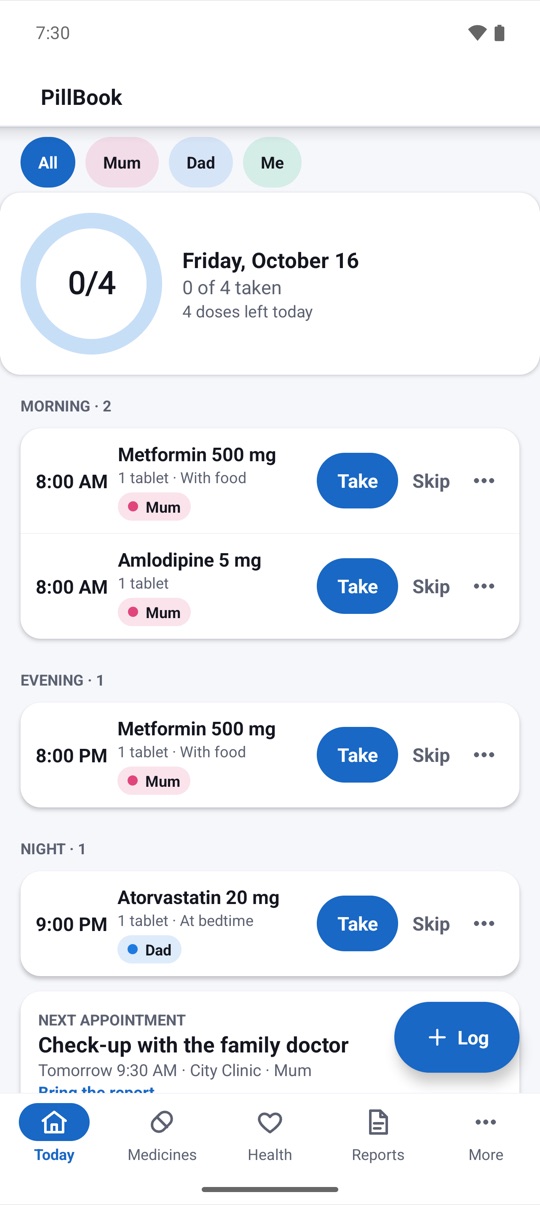
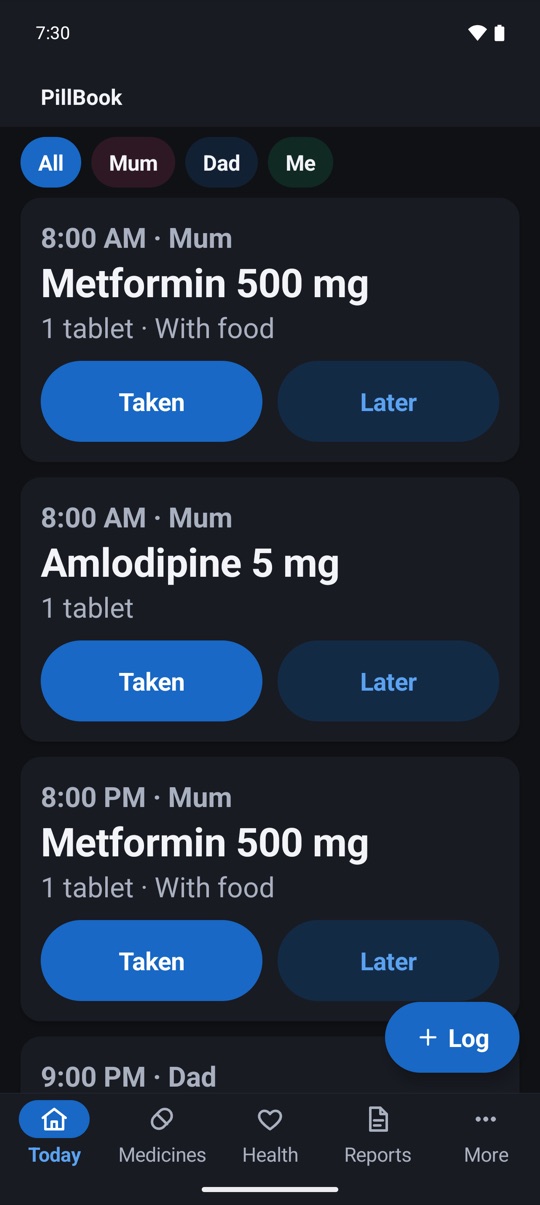
Keep medicines for up to 8 people. Today shows every dose with a colored name chip, and a progress ring shows what is done. Elder mode turns on large text and big Taken and Snooze buttons for a parent's phone.
- Up to 8 people, each with a color
- Elder mode: bigger text, bigger buttons, louder alarm
- Any schedule: times a day, every N hours, cycles like 21/7, as needed
Blood pressure, sugar and weight
Your readings,
in clear charts.
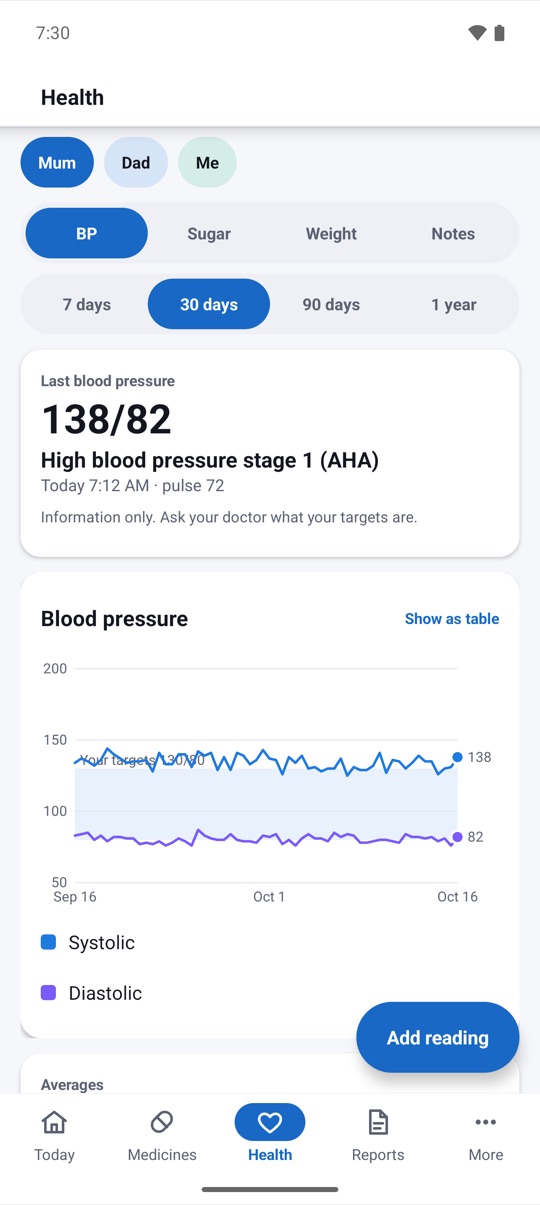
Log blood pressure and pulse, blood sugar in mg/dL or mmol/L with the meal context, HbA1c and weight. Charts show trends over 7 days to a year, and every chart can also be shown as a table.
- Blood pressure bands labeled as information only
- Blood sugar time in range, by meal context
- Weight with a 7-day average and BMI
Refills
Know before
you run out.
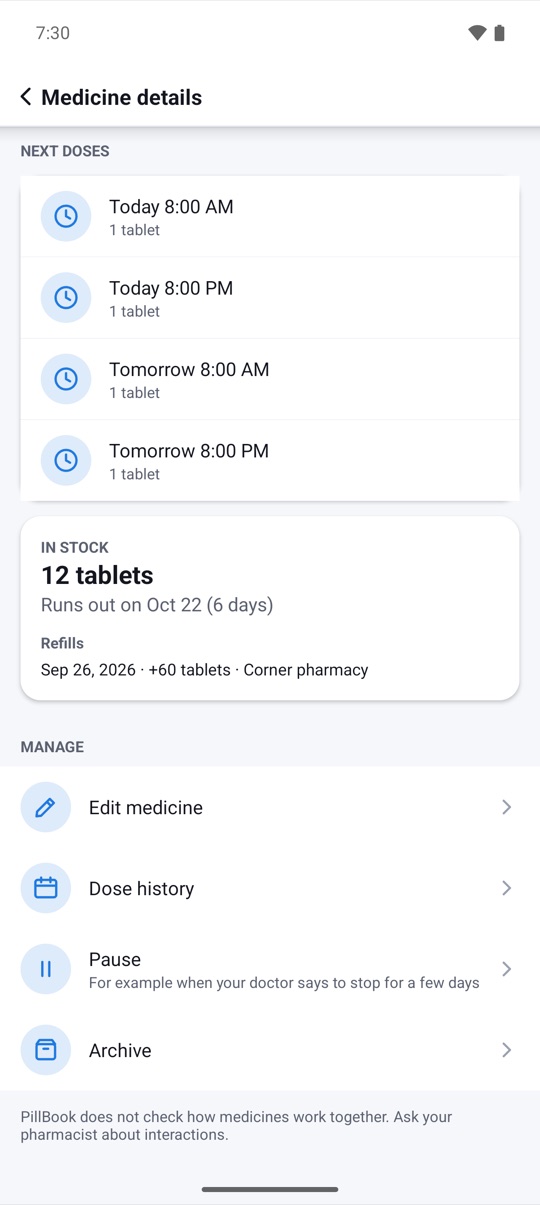
Enter how many pills you have. Each Taken counts one down, and PillBook shows the day the pack runs out, with a reminder a few days before.
- Pill count that updates with every dose
- Runs-out date for each medicine
- Refill reminder, 5 days ahead by default
Doctor report
A clear report
for your appointment.
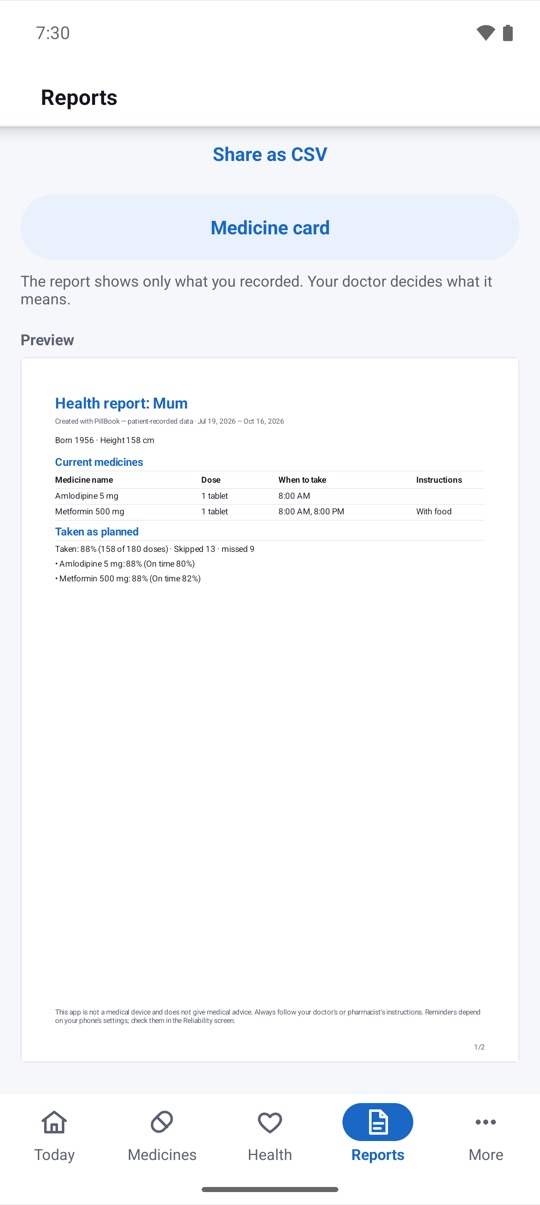
Pick a person and a date range. PillBook makes a PDF with the current medicine list, how often doses were taken, and blood pressure, sugar and weight averages with charts. Share it, print it or bring it on your phone.
- PDF to share or print, plus CSV files
- Medicine list card in large text for a pharmacy visit
- Appointment reminders with a "bring report" note
Privacy
Health data that
never leaves your phone.
PillBook has no internet permission, so it cannot send anything anywhere. Add a PIN or fingerprint lock, and turn on the privacy mask so the lock screen shows "Medicine reminder" instead of the medicine name.
- No account, no cloud, no ads
- PIN or fingerprint lock
- Privacy mask for lock-screen notifications
And more
The small things,
done right.
History
See every dose,
week after week.
The history shows each day's doses as taken, late, missed or skipped, with the share taken over 7, 30 and 90 days. Each chart can also be shown as a table.
- Tap Taken when the alarm rings
- Open the medicine to see its history
- Bring the doctor report to your appointment
Illustrative example.
Pricing
Pay once.
Use it for the whole family.
No subscription and nothing locked. Buy PillBook once on Google Play and every feature is yours, for every person and every medicine, in 20 languages.
Everything included
- Unlimited medicines, up to 8 people
- Dose alarms, follow-ups and refill reminders
- Blood pressure, sugar and weight log with charts
- Doctor report PDF, export and encrypted backup
- Phone, tablet and Wear OS, 20 languages and every future update
US$4.99 in the United States. Google Play shows the price in your currency. Google Play's refund policy applies.
No catch.
Privacy
Your health data
stays on your phone.
No account to create and nothing to sync. Medicines, doses and readings are stored only on your device, and never shared or sold.
Only what you share yourself, such as a doctor report or an export file. PillBook has no internet permission, and Android device backup stays off unless you turn it on. Privacy policy →
Questions,
answered.
Will it ring on my phone?
PillBook sets an on-time alarm for each dose, but some phones stop alarms to save battery. Open More › Reliability: it shows what your phone allows, tells you which battery settings to change for your brand, and can send a test alarm in 1 minute.
Is my data uploaded?
No. PillBook has no internet permission, so it cannot upload anything. Your medicines and readings stay on your phone unless you share a report or a file yourself.
Does it check drug interactions?
No. PillBook reminds you and keeps records; it does not check interactions between medicines. Ask your pharmacist or doctor about interactions.
Can two phones share the same list?
Not yet. There is no sync between phones in this version. You can export a file on one phone and import it on another.
Is PillBook a medical device?
No. PillBook is not a medical device and does not give medical advice. Always follow your doctor's or pharmacist's instructions. Reminders depend on your phone's settings; check them in the Reliability screen.
Is there a subscription?
No. PillBook is a one-time purchase on Google Play, with no in-app purchases and no ads.